
Capturas de pantalla
Detalles de la aplicación
- Versión
- 3.5.40
- Actualizado
- June 30, 2025
- Requiere
- iOS 16.4
- Idioma
- English
- Licencia
- Free
- Desarrollador
- Danike Inc.
- Categoría
- iPhone OS
SoftPas en:
Este producto también está disponible en los siguientes idiomas:
Acerca de Pocket Pharmacist
Download Pocket Pharmacist – Drug Guide, Medication Safety, FDA-Approved Drugs, Med Quiz, Med Box
Overview
Pocket Pharmacist es una aplicación de escritorio especializada desarrollada por Danike Inc., diseñada para servir como una herramienta de referencia de medicamentos integral dentro de la categoría de Medicina del software de Educación y Referencia. La aplicación funciona como un recurso todo-en-uno para usuarios que buscan información precisa e imparcial sobre medicamentos aprobados por la FDA de los Estados Unidos. Su propósito principal es apoyar la toma de decisiones informadas respecto a medicamentos con receta y de venta libre, proporcionando resúmenes detallados, verificaciones de interacciones, datos de efectos secundarios y advertencias precautorias. La app es particularmente adecuada para pacientes que manejan múltiples recetas, cuidadores que asisten a sus seres queridos con regímenes de medicación y profesionales de la salud que requieren datos de medicamentos rápidos y confiables durante consultas.
El contenido dentro de Pocket Pharmacist es curado y resumido por un farmacéutico licenciado (Doctor en Farmacia), garantizando precisión clínica y eliminando la influencia de patrocinios farmacéuticos o publicidad. Este compromiso con la neutralidad mejora su credibilidad como referencia confiable. El software está diseñado para uso real en la gestión de salud personal, sesiones de revisión de medicación y entornos educativos. Permite a los usuarios verificar detalles de medicamentos, cruzar posibles interacciones y comprender mejor los riesgos y beneficios de sus medicamentos actuales. El desarrollador no proporcionó requisitos de sistema adicionales ni métricas de rendimiento.
Key Features & Capabilities
- Comprehensive Drug Database: Access to up-to-date summaries of FDA-approved drugs, including dosage, indications, contraindications, and common side effects, all verified by a licensed pharmacist.
- Drug Interaction Checker: Built-in tool to analyze potential interactions between multiple medications, helping users avoid adverse reactions when combining prescriptions.
- Med Box Feature: A personalized medication organizer that allows users to store and manage their current prescriptions, enabling real-time interaction and precaution checks.
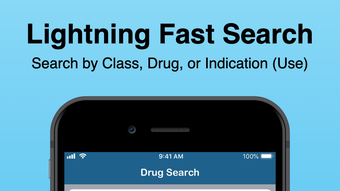
- Wicked Fast Offline Search: Instant access to drug information without requiring an internet connection, ideal for use in areas with limited connectivity or during emergencies.
- Med Quiz Learning Tool: Interactive multiple-choice quizzes and flashcards to test and reinforce knowledge about medications, suitable for students, patients, and professionals.
- Unbiased, Ad-Free Content: All information is presented without commercial influence, ensuring transparency and trustworthiness for users.
These features support a range of practical applications: patients can review their medications before doctor visits, caregivers can monitor complex regimens, and medical learners can practice pharmacology concepts. The software’s design emphasizes usability and immediate access to critical data, reducing the risk of medication errors through informed awareness.
User Interface, Workflow & Performance
The user interface of Pocket Pharmacist is structured to prioritize clarity and speed. Navigation is straightforward, with a central search bar enabling rapid access to drug information. The layout organizes key details—such as dosage, warnings, and side effects—into clearly labeled sections, minimizing cognitive load during high-stakes decision-making. The Med Box and Med Quiz features are accessible via intuitive menu options, allowing users to switch between reference, management, and learning modes seamlessly.
Workflow efficiency is enhanced by the app’s ability to perform searches and generate interaction reports instantly, even offline. This functionality supports timely responses in clinical or personal health contexts. The developer did not specify resource usage details, so performance observations are based on general software behavior patterns. Stability appears to be a focus, as the app operates without requiring constant connectivity, reducing the risk of crashes due to network interruptions. However, exact CPU or RAM behavior was not disclosed.
Compatibility & System Requirements
Pocket Pharmacist is available for free download on iPhone, indicating compatibility with iOS devices. The application is designed to function on Apple’s mobile operating system, though specific version requirements were not listed. Installation size and hardware specifications were not provided by the developer. The software operates without requiring an internet connection for core functionality, which suggests optimized performance on a range of iOS devices.
Platform compatibility information is limited to iOS, and no details were given about support for Windows, Mac, or other operating systems. The developer did not specify whether the application is available as a desktop version or if it is exclusive to mobile platforms. Users should verify device compatibility through the official app store before downloading.
Pros and Cons
Pros
- Comprehensive, FDA-approved drug information curated by a licensed pharmacist
- Offline functionality enables use without internet access
- Interactive Med Quiz improves medication knowledge retention
- Med Box feature streamlines medication tracking and interaction checks
- Ad-free and free from pharmaceutical sponsorship
- Fast, intuitive search interface for quick data retrieval
Cons
- Availability limited to iPhone; no desktop or cross-platform support confirmed
- Exact system requirements and file size were not disclosed
- Performance metrics such as CPU or RAM usage were not specified
- Limited to iOS; no information on Windows or Mac compatibility
- App-specific updates and support channels not detailed
FAQ Section
Is Pocket Pharmacist available for Windows or Mac?
As of now, the application is only available for iPhone. There is no confirmed desktop version for Windows or Mac.
Does Pocket Pharmacist require an internet connection?
No, the app supports offline use. The drug search and interaction checks function without requiring an internet connection.
Is the content in Pocket Pharmacist safe and accurate?
Yes, all drug information is curated and summarized by a licensed Pharmacist (Doctor of Pharmacy), ensuring clinical accuracy and independence from pharmaceutical advertising.
How often are the drug databases updated?
The developer did not specify update frequency. Users should assume updates are made regularly to reflect new FDA approvals and safety alerts.
Can I use Pocket Pharmacist for professional medical advice?
Pocket Pharmacist is intended as an educational and reference tool, not a substitute for professional medical advice. Always consult a licensed healthcare provider for diagnosis or treatment decisions.
Final Thoughts + CTA
Pocket Pharmacist stands out as a reliable, user-focused tool for anyone managing medications, whether as a patient, caregiver, or healthcare professional. Its emphasis on accuracy, independence from commercial influence, and offline accessibility makes it a valuable resource in personal health management. While its current availability is limited to iPhone, the core features—especially the Med Box and Med Quiz—offer tangible benefits for medication safety and education. For users seeking a trustworthy, ad-free drug guide with real-world utility, Pocket Pharmacist delivers strong value. Download Pocket Pharmacist now.
Guías y tutoriales
Cómo instalar Pocket Pharmacist
- Haz clic en el botón Descargar de arriba.
- Cuando se te redirija, acepta los términos y haz clic en Instalar.
- Espera a que la descarga de Pocket Pharmacist termine en tu dispositivo.
Cómo usar Pocket Pharmacist
Este software se usa principalmente para las funciones principales descritas arriba. Abre la aplicación después de instalarla para explorar sus capacidades.
Reseñas de usuarios
Aún no hay reseñas. Sé el primero en compartir tu experiencia.
También te puede gustar
más
PlaylistAI
Free smartphone app to create music playlists PlaylistAI is a handy smartphone a...

Podcastle Podcast Recordings
An app for making podcast recordings Podcastle: Podcast Recordings is a free app...

harpy chat
Immersive role-play with AI characters harpy.chat is a free AI chat platform whe...

Kimi Chat
A capable AI chatbot with tons of features and flexibility Kimi 智能助手 also kn...

Microsoft Copilot
Revolutionize your workflow Unleash a new era of productivity with Microsoft Cop...

Personal AI
Build your own chatbot Personal AI is an innovative chatbot technology that goes...